Showing posts with label Mouse. Show all posts

Friday, 2 May 2014

CM Storm Reaper Aluminum Gaming Mouse

CM Storm Reaper - 01

Introducing CM Storm Reaper Aluminum Gaming Mouse


CM Storm has been in the gaming peripherals market for quite some time and their products has pick up quite a lot of attention largely due to the overall consumer's satisfaction towards their mechanical keyboards. But what about CM Storm's gaming mice? Though they have released quite a few models in the market, they have to do something to differentiate themselves from the fierce competition on the market. For one is their competitive pricing, two, is their design.

Today we have CM Storm's top of the line gaming mouse, Reaper. It packs top range components as well as a rather unique choice of body material which is aluminum, just like the CM Storm MECH keyboard we reviewed recently.

Read on to know if the Reaper has what it takes to be the company's flagship gaming mouse.

*"Aluminum" is supposed to be "Aluminium", but since CM Storm clearly stated the word "Aluminum" on the box, we'll strictly follow CM Storm's decision.

SRP for CM Storm Reaper Aluminum Gaming Mouse is MYR269.


Tech Specs


Part Number: SGM-6002-KLLW1
Design: Palm Design
Body: Plastic / Aluminum / Rubber
Sensor: Avago 9800
DPI: 8200
Switch: Omron 5 million clicks
Onboard Memory: 128k
Inch Per Second: 150
Max. Acceleration: 30g
LED color: White
Cable length: 1.8m/ 5.75 feet Braided cable

Packaging


CM Storm Reaper - 01

The front of the box features the photo of the mouse with bright and shiny effects.

It is a small box and doesn't look really outstanding when compared with other large packaging with front lid.

CM Storm Reaper - 02

Details about the mouse at the back.

CM Storm Reaper - 03

Sliding off the outer box reveals the inner all black box.

CM Storm Reaper - 04

Open box.

Closer Look


CM Storm Reaper - 05

Closer look at the mouse while it's still in the box.

CM Storm Reaper - 06

What you get in the box:

  • CM Storm Reaper
  • User manual
Literally you're getting only the mouse without any other accessories. That's not what I'm expecting given that many other flagship mouse comes with more bits and pieces.

CM Storm Reaper - 07

Standard USB connector.

CM Storm Reaper - 08

The cable is cloth-braided and doesn't feel stiff at all.

CM Storm Reaper - 10

Sometimes box art don't always do the justice of showing the exact look and feel of the product. That being said, the aluminum surface of the mouse is actually painted with sand-blast treated. The end result, a surface texture that resembles certain brand of premium electronic products on the market.

CM Storm Reaper - 09

Top view. Other parts of the mouse is made of rubber coated plastic which has a rather nice soft touch feel to it. The coating also gives the mouse a contras-tic looks between the silver-ish aluminum and matte black plastic.

The mouse comes with a total of 7 buttons and a click-able scroll wheel. 4 of the buttons and scroll wheel are located at the top, while the rest at the left side of the mouse. All the buttons are programmable via the driver software and storable on the mouse's 128k on-board memory.

Underneath the left and right click buttons are the Omron micro switches which has superb clicky feel and longevity up to 5 million clicks.

CM Storm Reaper - 11

The 3 buttons at the left side makes this a mouse designed for right-handed users.

CM Storm Reaper - 12

Thumb buttons are strategically positioned for easy reach.

CM Storm Reaper - 13

Then, the scroll wheel itself is a block of aluminum precisely cut and textured for grip.

CM Storm Reaper - 14

Scrolling on the aluminum block feels solid and comfortable. It reeks an aura of confidence where no other mouse could compete. Hey don't you think it just looks beautiful?

CM Storm Reaper - 15

Overall design strongly highlights the aluminum components on the mouse.

CM Storm Reaper - 16

The AVAGO 9800 laser sensor is currently the most popular laser sensor among top of the range gaming mice.

3 pieces of teflon mouse feet provides low friction gliding experience be it on cloth or solid mouse-pad.

That's pretty much everything under the mouse as there isn't any weight adjusting feature, hence no special mechanism or latch is present.

CM Storm Reaper - 17

The Reaper comes with white LED lighting, perfect match to the aluminum theme of this mouse.

CM Storm Reaper - 18

The "headlamp" also provides a cool-some ambient lighting.

Software


Driver


Driver is downloadable form CM Storm website and installation process is simple and straightforward.

CM Storm Reaper - 19

Once you got the software loaded, the first panel "Main" is where you can configure all the functions assigned to the buttons. You can configure up to 4 different profiles as shown below. There's even a function to allow you to assign different image to each profile.

CM Storm Reaper - 20

The "Advanced" panel is where you get to configure in depth settings such as DPI, LED mode and button response.

CM Storm Reaper - 21

"Macro" panel, as the name suggest, is where you can record and program your macro functionalities. I tried playing around with it while trying to program some macro functions, to be frank, I'm not that impressed with the usability of the software. First is all those buttons arrangement and no obvious guide on what steps should we take in order to do it. Second, is the unintuitive procedure required in order to program your macro.

Let's take an example when I first trying to record a macro, I didn't know that I have to create a new Macro file before I can start recording, ended up everything I just recorded gone without any error message, nothing...

CM Storm Reaper - 22

Though there are only 4 slots available for different profiles, but you can still create more profiles and selectively load/unload whenever you want.

CM Storm Reaper - 23

"Library" panel is where you can save all your available macros and you can even import or export macros.

CM Storm Reaper - 24

Lastly the "Support" panel is where CM shows their Support/Update statement.

CM Storm Reaper - 25

If you unplug your mouse from the computer, this pop up window will notifying you that your mouse is disconnected. One thing however, even if you dismissed the notification, it will keep coming back every few minutes telling you that it can't detect your mouse. Really? CM?

It is so annoying that I can't even find any way to stop it other than killing the driver software. I mean, you don't have to keep notifying the user every few minutes that their mouse is disconnected. There must be some reason that the mouse is unplugged.

Final Thoughts


CM Storm Reaper

Pros

  • Great build quality
  • Comfortable grip
  • Responsive clicks
  • Solid aluminum scroll wheel
  • 7 + 1 Customisable buttons and scroll wheel
  • 128k on board memory

Subjective

  • Sculpted for right hand user
  • White LED lighting
  • Heavy (145 grams)

Cons

  • Heavy (145 grams)
  • No weight management
  • Poorly designed and unintuitive software

Build quality of this mouse is amazing partly due to the fact that parts of the mouse is consists of aluminum pieces. I'm sure that it will withstand all sorts of abuse before it could fall apart. But then, due to the aluminum parts, this mouse does not come light. At 145 grams, I consider it to be a heavy mouse. As there are no weight management options available, do take note of the weight before making your purchase.

Aesthetically, hands down to CM Storm for nailing it. The combination of matte black and silver, then matched with white LED makes this a cool looking mouse.

Performance wise, it packs Avago ADNS-9800 laser sensor which capable of reaching 8200 DPI. This is currently the most popular laser sensor that also used on other brand's flagship gaming mice. Thought not everyone would benefit from the high DPI, but it provides the larger range of DPI choices and freedom.

However, not every aspect of this mouse is perfect. For instance the driver software of the Reaper is exceptionally weak. For example, the troublesome and not-so-user-friendly steps to manage the macro. Not to forget the annoying "Hey, your mouse is disconnected" pop-up message. I mean, they could've done better with their software department if they put extra effort and attention to it.

The Reaper is a very good mouse as it comes with top of the range components at rather reasonable price tag of MYR269, though some might sell it at lower price, however just like any other products in the market, it has its own pros and cons. I'm actually quite torn in deciding which award should I give to it, due to its weak software department at the time of writing. If you're in the market for gaming mouse with top of the range specs yet don't want break your wallet, the Reaper would be at the top of your list if you're fine with a slightly heavy mouse and willing to wait for future software updates.

CM Storm Reaper - 26

Wednesday, 2 April 2014

Quick Review: ROCCAT Kone XTD Gaming Mouse


Introducing ROCCAT Kone XTD


Few weeks back, we reviewed the ROCCAT Kone Pure mouse which we concluded it being a real performer mouse and thus earning a gold rating from us. The creative integration between the software and the hardware has showed us how they could change the whole user experience, especially the ROCCAT Power-Grid app.

Today we have Kone Pure’s higher end brother, namely Kone XTD. In case you’re wondering, the XTD stands for “Extended” and it is direct upgrade to the Kone[+]. As ROCCAT claims the XTD to be a "Maximum Customization gaming mouse", read on for our quick review on this mouse and see if it live up to its name.

The mouse comes in a bubble wrap instead of standard packaging, we'll skip the packaging and review only the mouse itself.

SRP for ROCCAT Kone XTD is MYR345.


Tech Specs


  • Pro-Aim Laser Sensor R3 with up to 8200dpi
  • 1000Hz polling rate
  • 1ms response time
  • 12000fps, 10.8megapixel
  • 30G acceleration
  • 3.8m/s (150ips)
  • 16-bit data channel
  • 1-5mm Lift off distance
  • Tracking & Distance Control Unit
  • 72MHz Turbo Core V2 32-bit Arm based MCU
  • 576kB onboard memory
  • Zero angle snapping/prediction
  • 1.8m braided USB cable

Closer Look


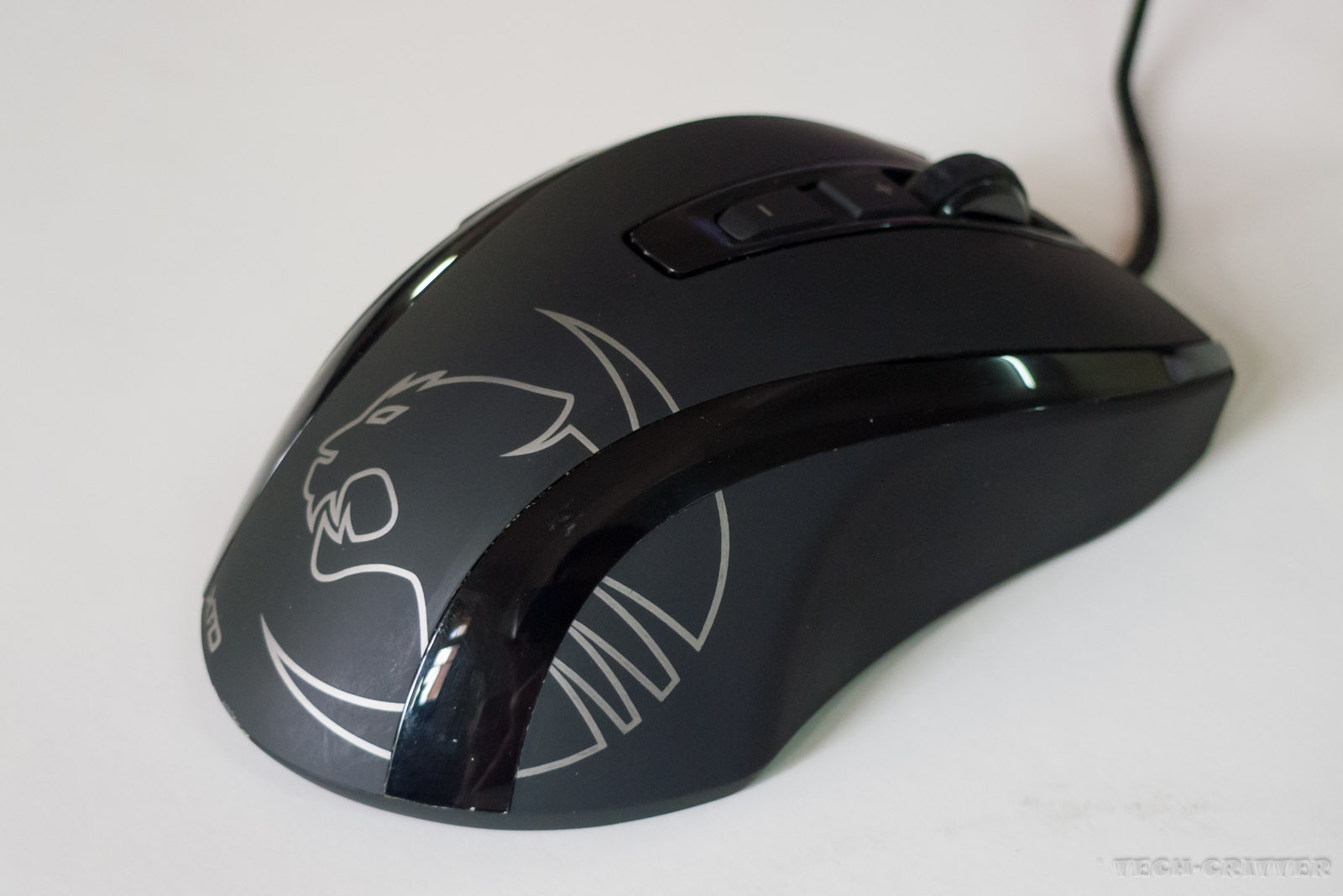
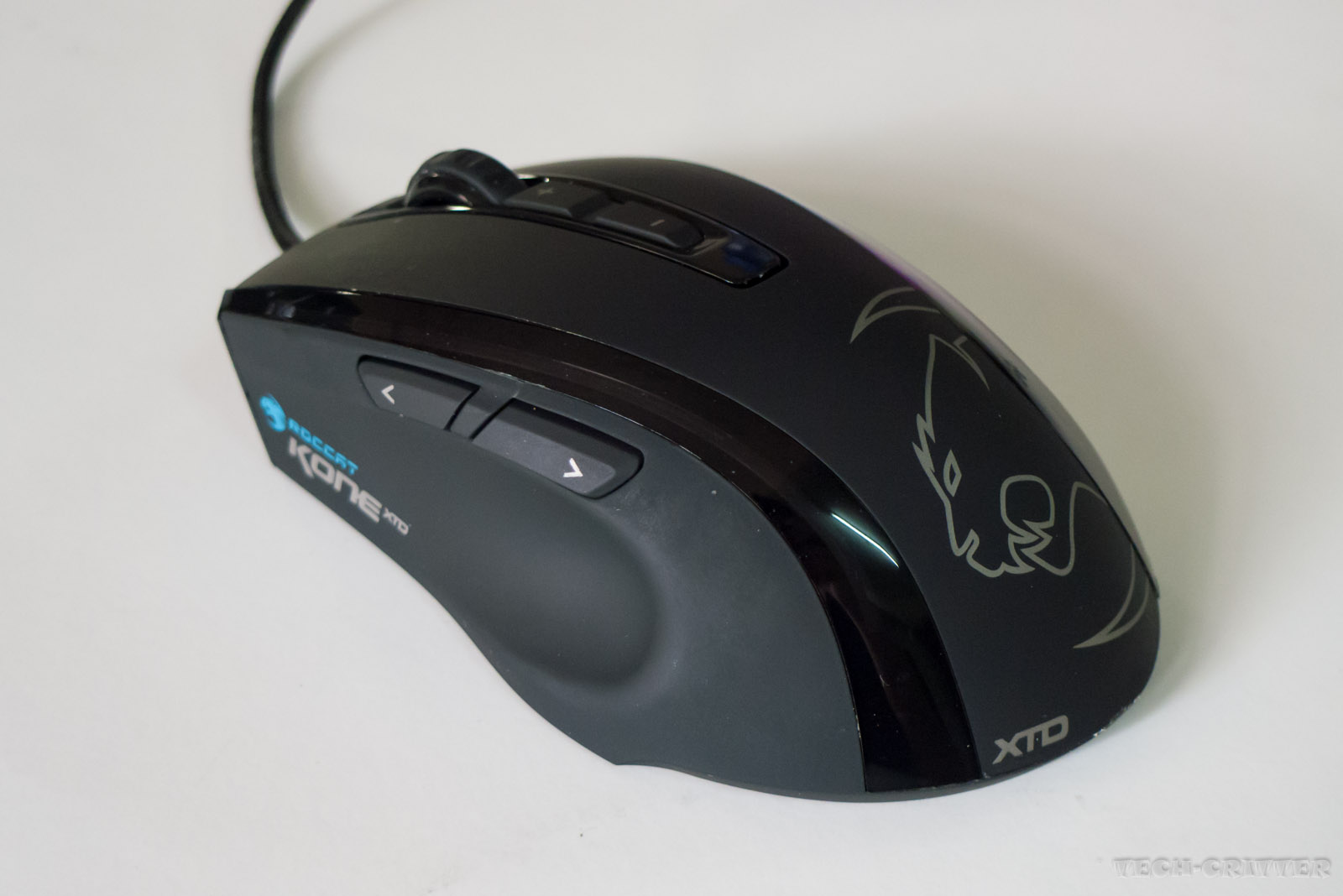
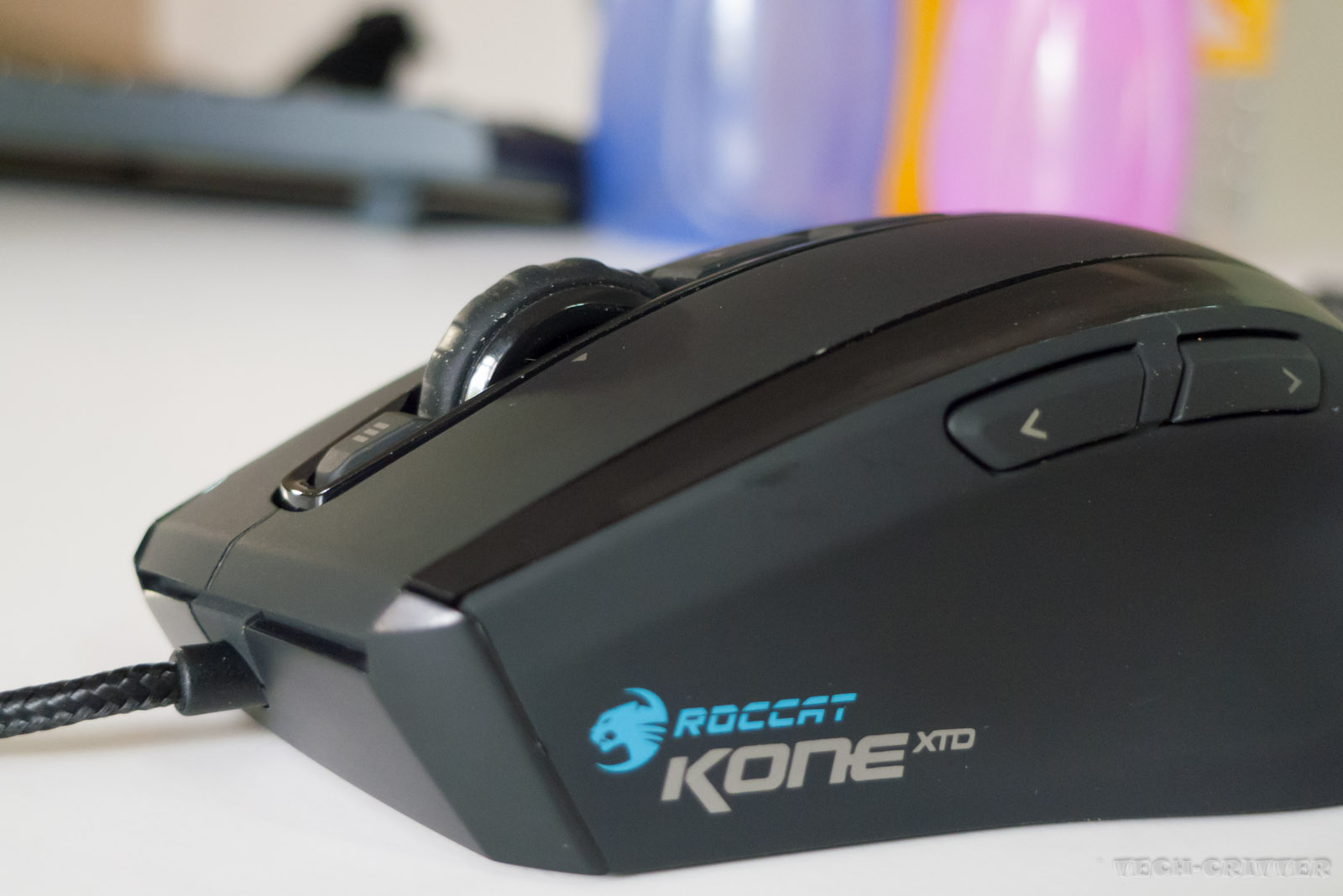
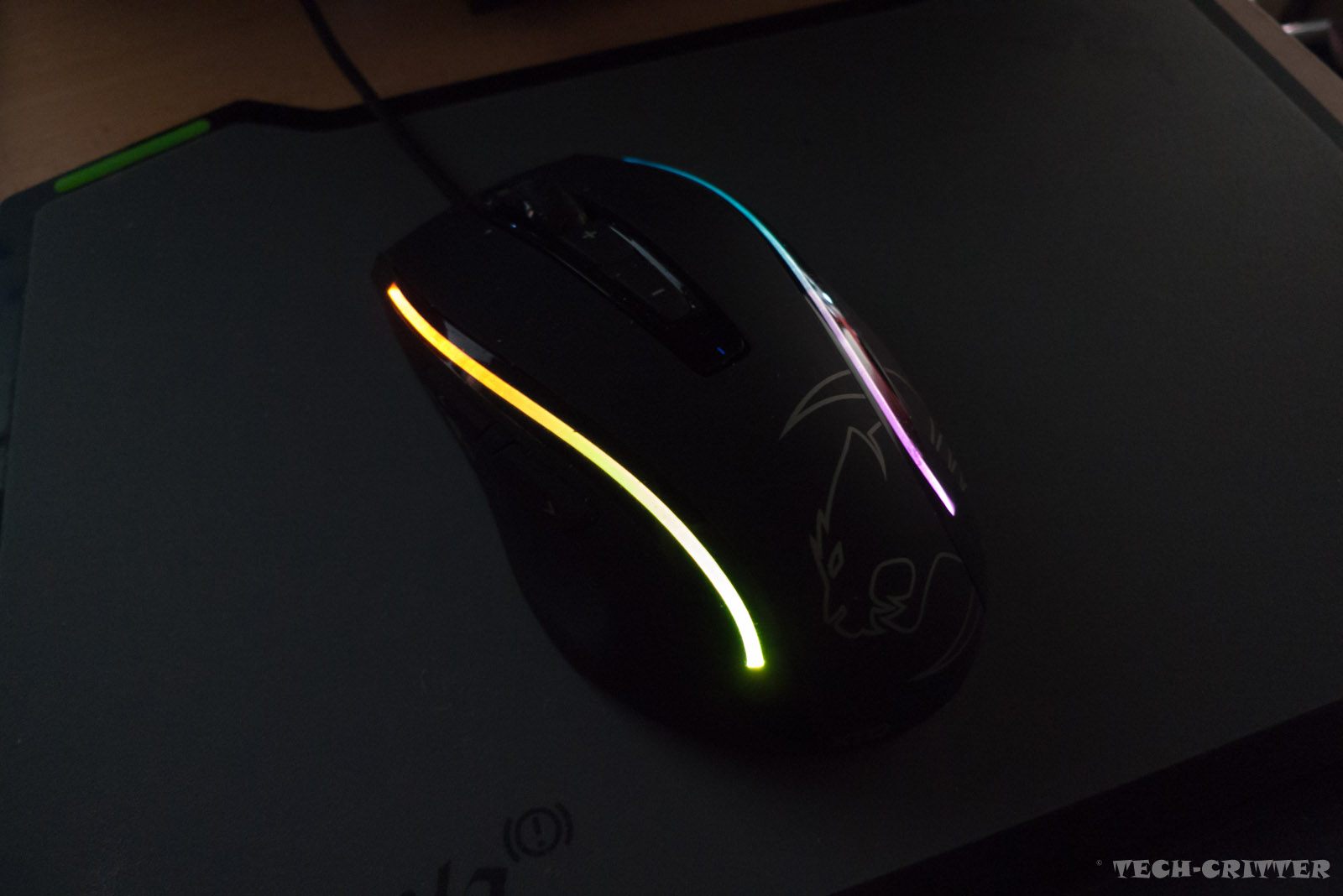
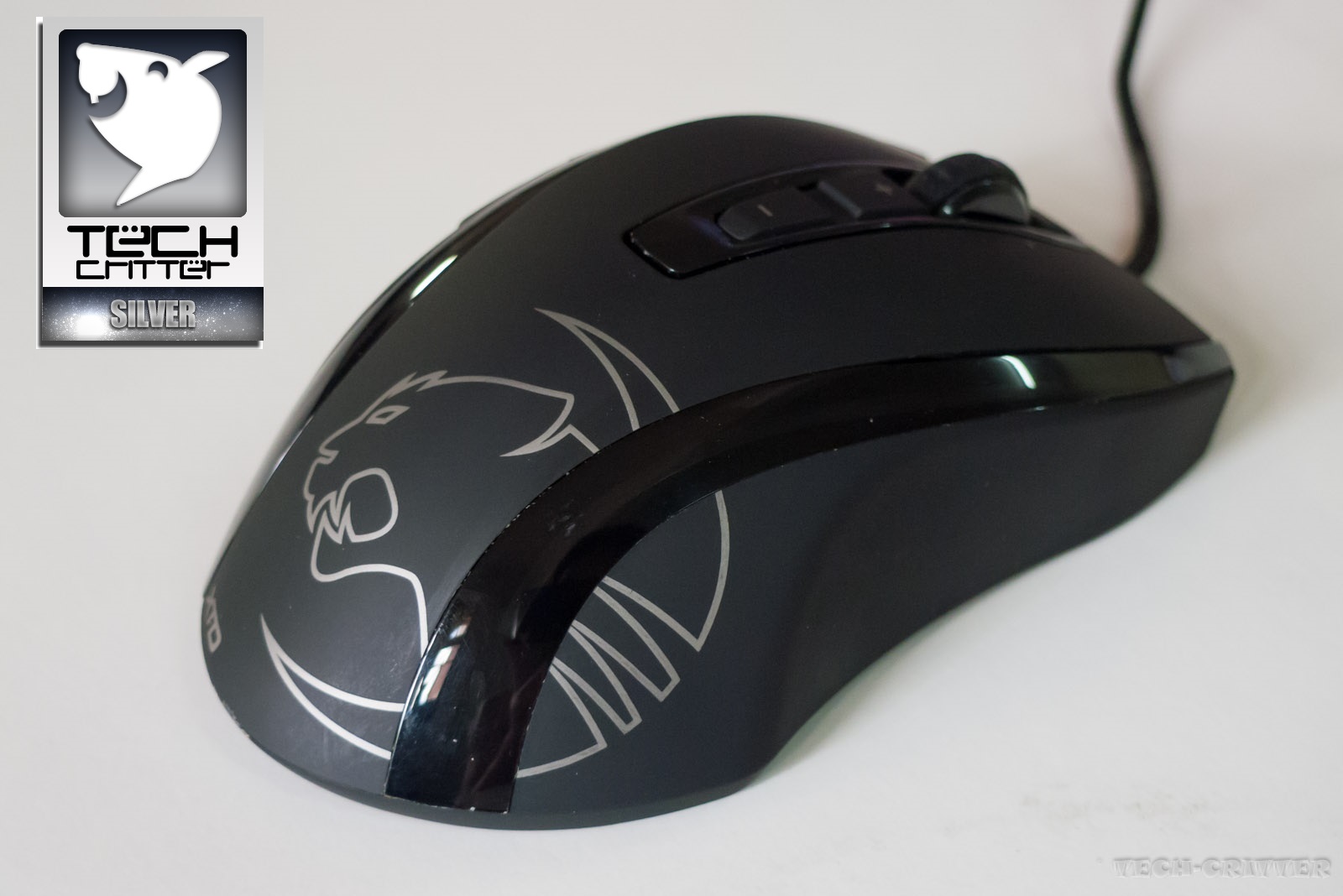
ROCCAT logo at the body of the mouse. Unlike Kone Pure, the logo is not illuminated as the lighting feature is applied to the transparent stripes at both sides of the mouse.


The mouse is ergonomically designed for right handed users.

It has slightly larger body and heavier if compared to the Pure. But then you could customise the weight of the mouse with the included weight management kit. We will talk about the weight management kit in a short while, but for the time being, the first impression of the build quality is great.


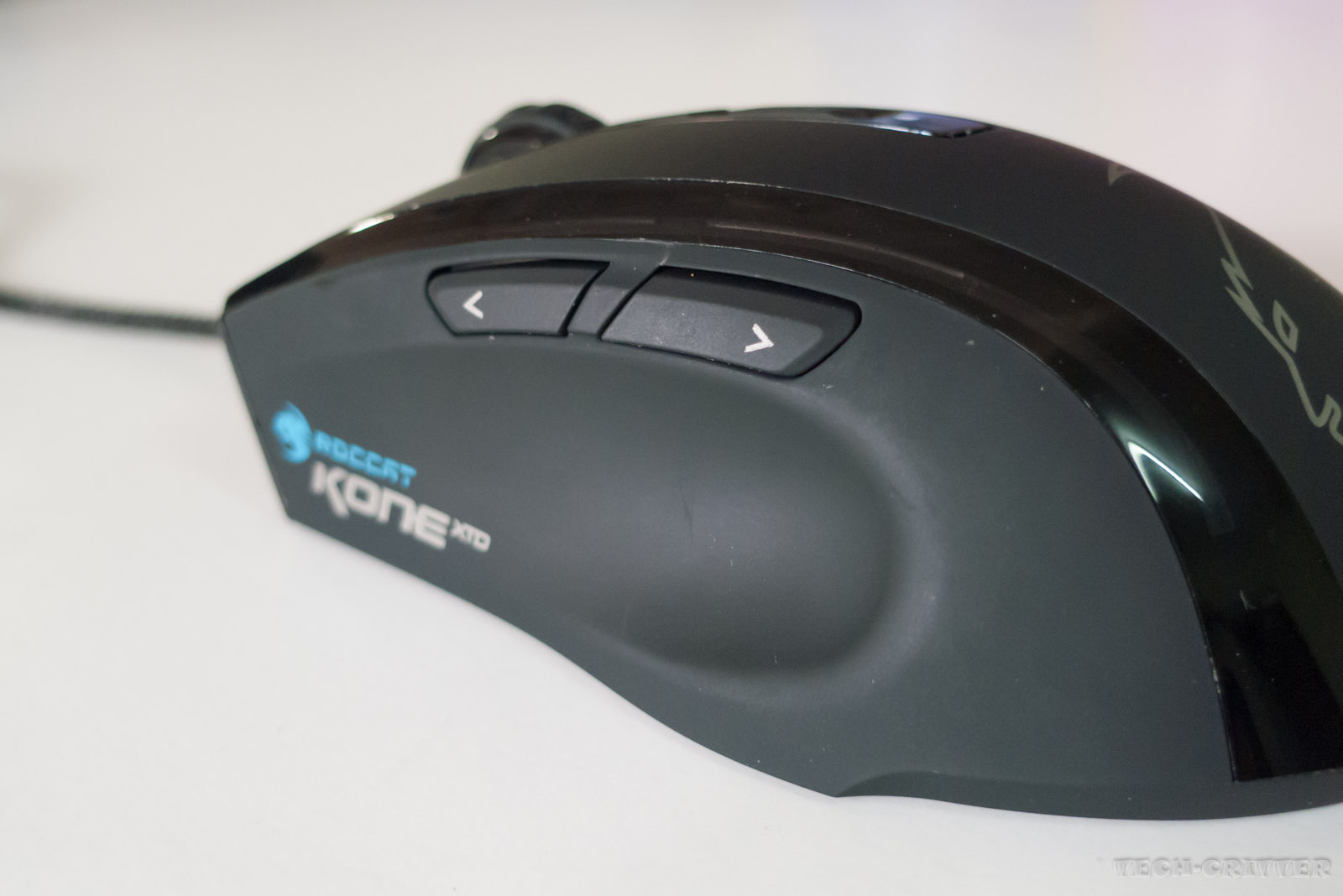
Contoured side for your thumb. There are two buttons at the side, though they are labelled as forward and backward, you can customise all the button's actions via the driver software.

By default, the back button is assigned with the Easy-Shift[+] feature where you can hold it and click other button on the mouse to activate their secondary function. For example, you can assign your right click button's secondary function as play next song, then while holding the Easy-Shift[+] button, right clicking would play the next song instead of opening a right click menu.

I do appreciate the functionality of the Easy-Shift[+] button, however, I think ROCCAT could have added a dedicated button for it so that we don't have to sacrifice the back button.


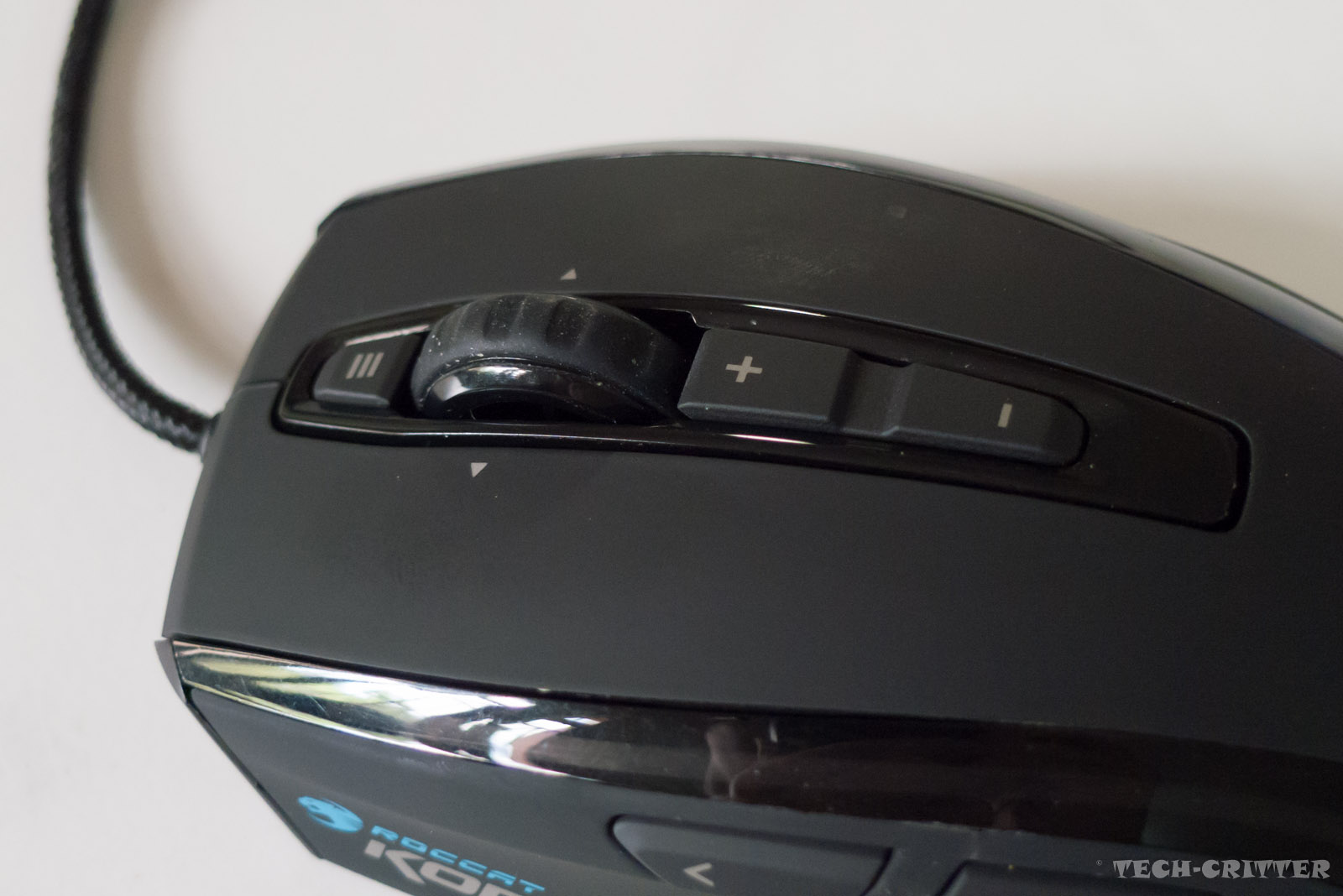
There are a total of 7 mouse buttons along with the scroll wheel (Titan Wheel). Speaking of the Titan Wheel, ROCCAT advertised it to be higher quality than any other scroll wheels and extra durable. Though I can't comment on the durability of it but I am impressed with the wheel.

Each scroll is precise and you get that specific feedback for each action. Even impressive would be the wheel's tilt action which I find it to be one of the best. There are loads of mice out there offering tilt action for the scroll wheel but none of them could have provided such subtle and responsive feedback as the Titan Wheel.

Meanwhile the switches under the buttons are using Omron micro switches. The clicks are precise and especially the feedback is consistent, but not all of the buttons are equally good. Take a look at the additional button at the top of the Titan Wheel. It find it useless especially when it stays at that position. I would have been glad if ROCCAT would move that button to the thumb rest area and use it as Easy-Shift[+] button.

Speaking of the differences between the XTD and the Pure, they would be the Titan Wheel and the additional button at the top it.


Titan wheel is slightly taller than the Pure's scroll wheel.


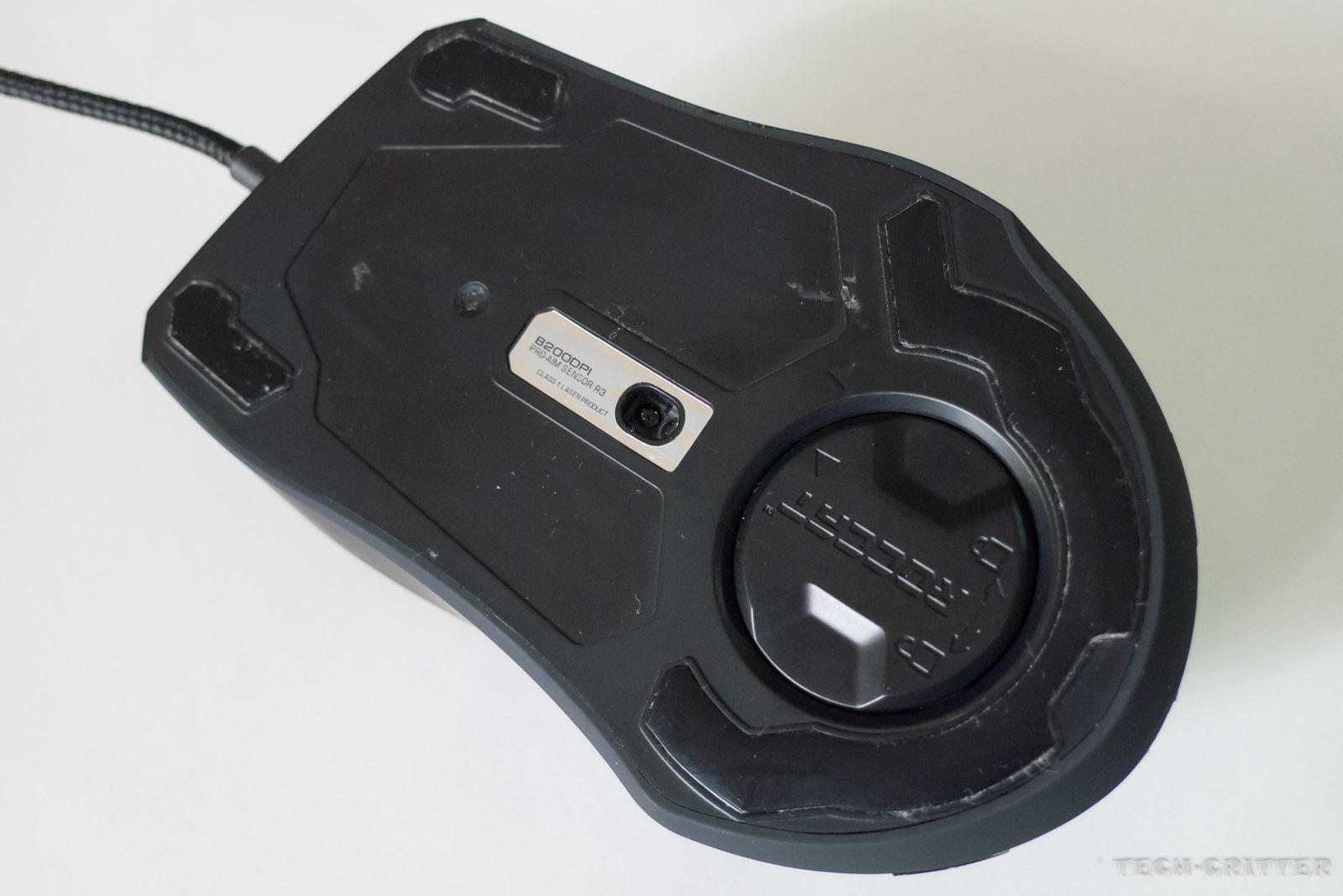
Bottom of the mouse. Pardon the absence of the label.

Two smaller glide feet at the top while a larger piece at the bottom.

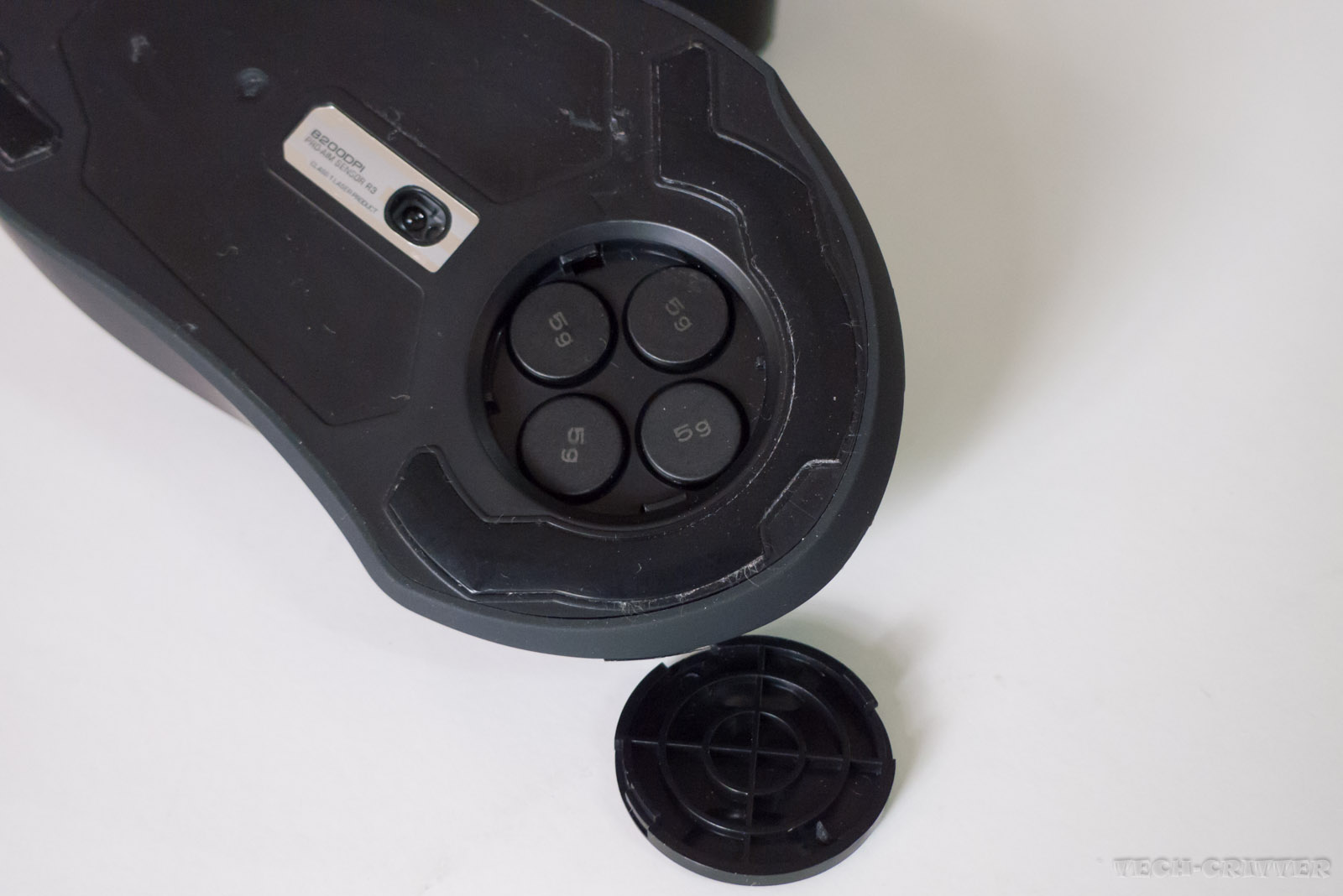
The round cover houses the mouse's weight management kit. Perhaps that's the reason why the bottom has a larger glide feet than the top.


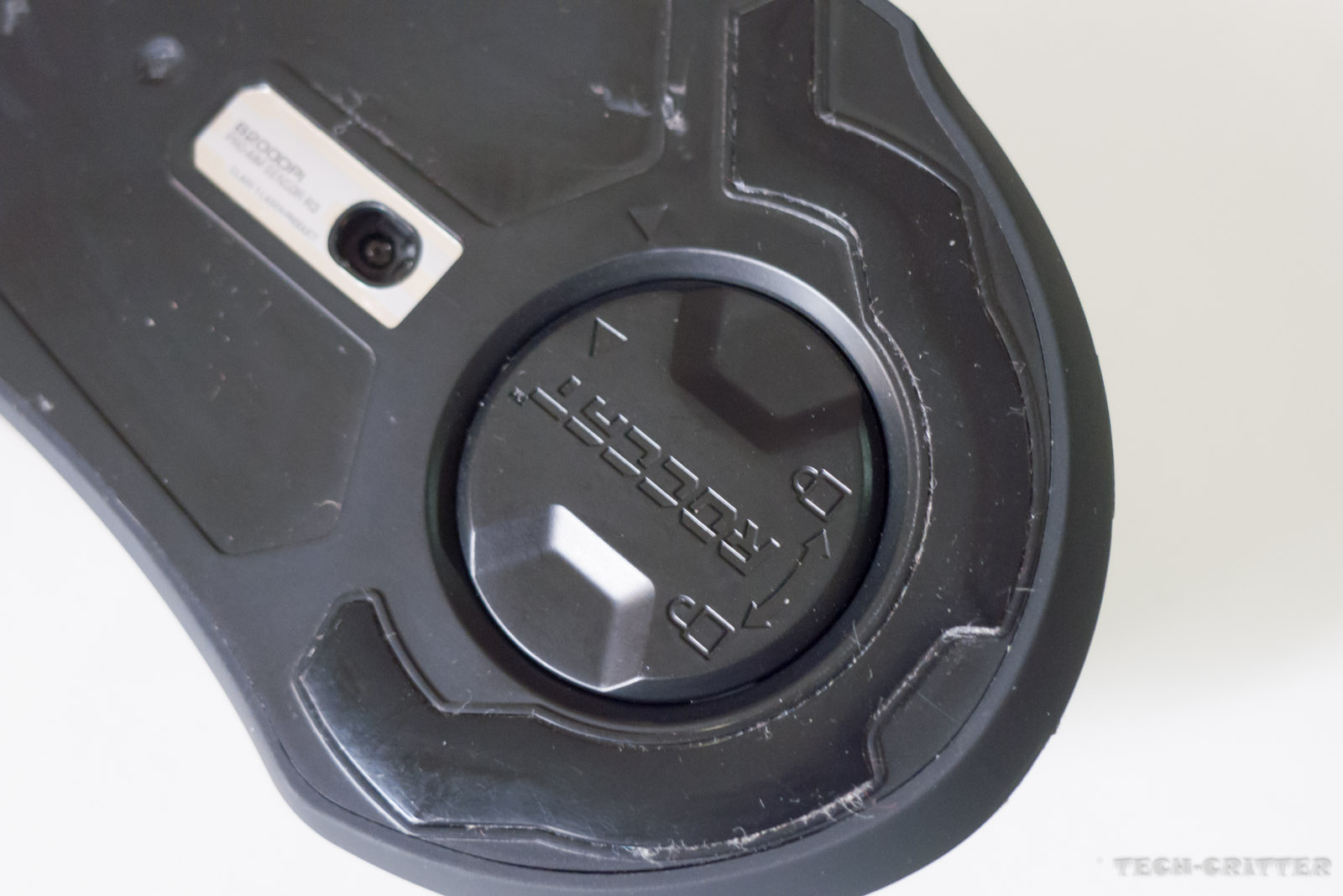
Closer look at the weight management enclosure.

As you can see, the cap is secured to its place with a simple twist lock mechanism.


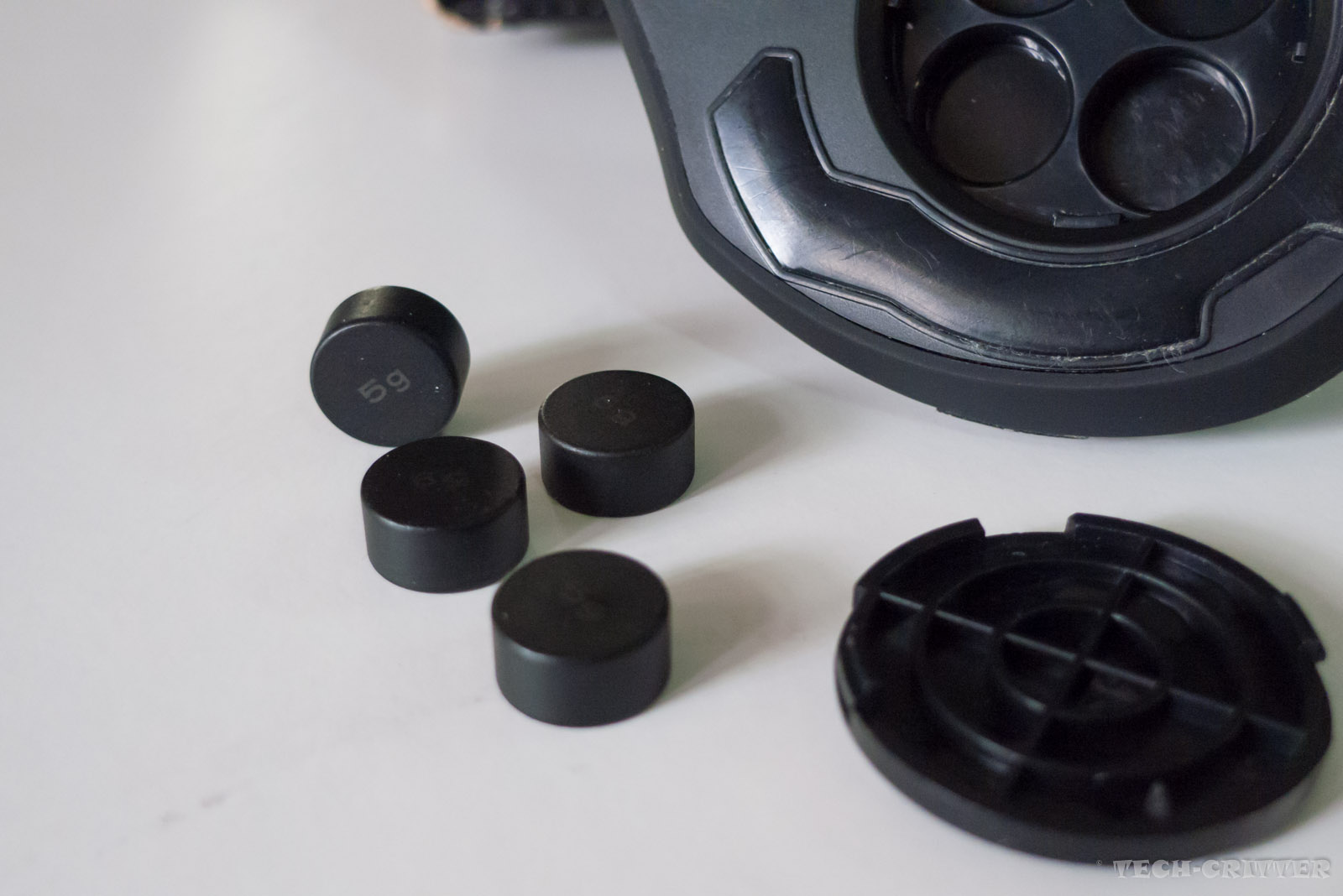
The mouse weighs 123 grams excluding the cable. Each weight button is 5g, which makes up the customisability of 123 grams, 128 grams, 133 grams, 138 grams and 143 grams.


Placing all the weight buttons into the slots. Then here comes the problem, I find the buttons are extremely difficult to be removed from the slots. I am aware that most of the time one would just customise the weight for the first time and then leave them throughout the rest of the mouse's lifespan, but the mouse does not come cheap and for sure we would expect the designers to take the product's user-friendliness a little more serious.


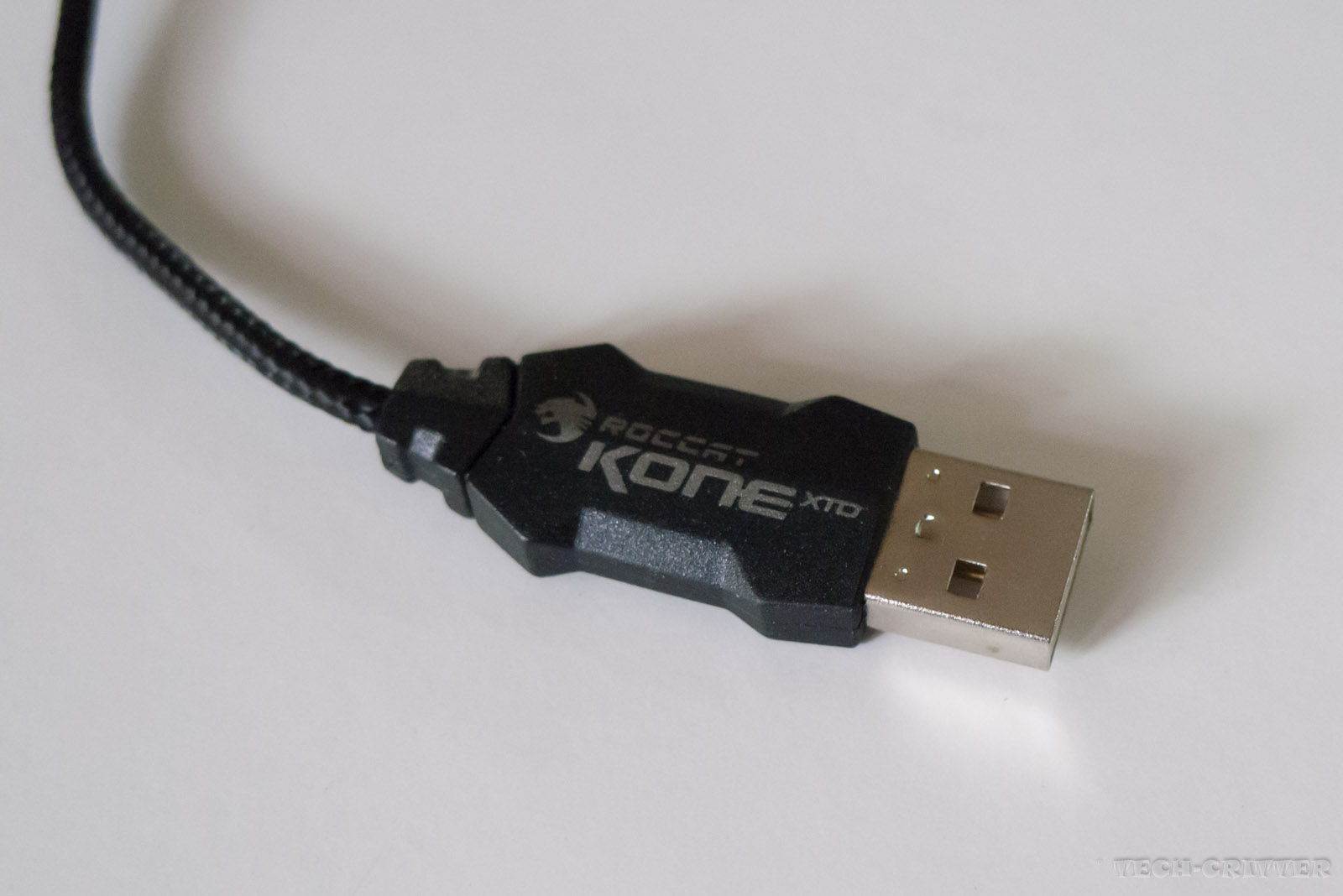
Standard USB jack. Though it is not gold plated, but we all know that doesn't matter.


Plugged in.


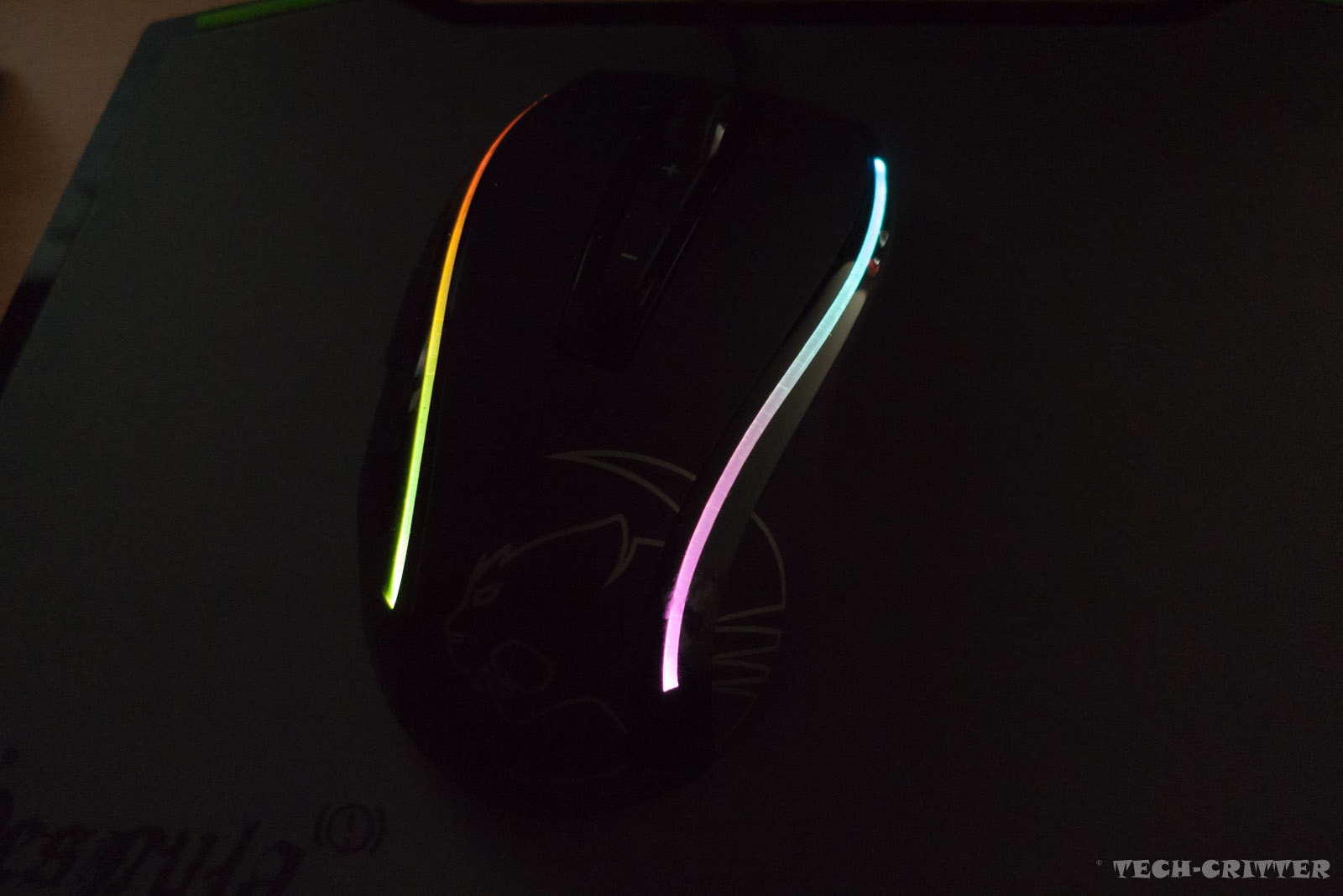
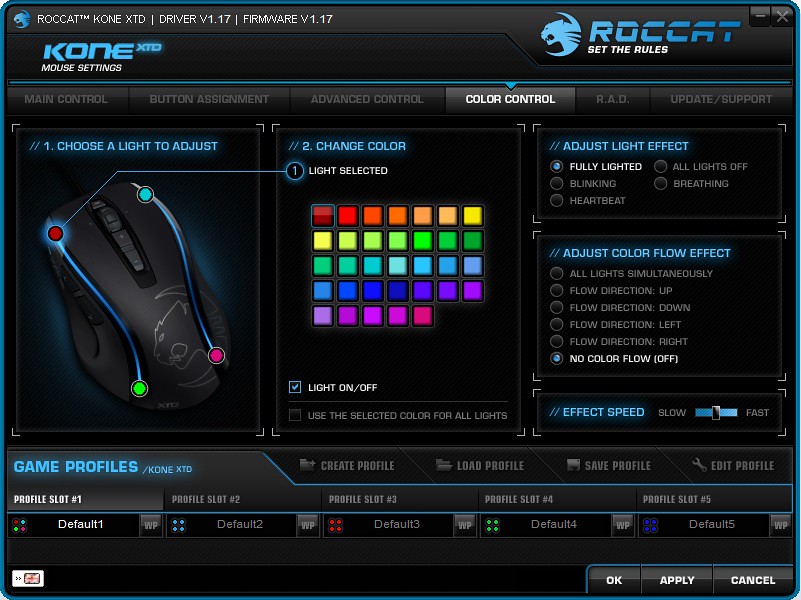
There are 33 customisable colours you can configure in the driver software. Since each side would have 2 customisable lighting effect, you can configure it to light up as shown on the picture above.

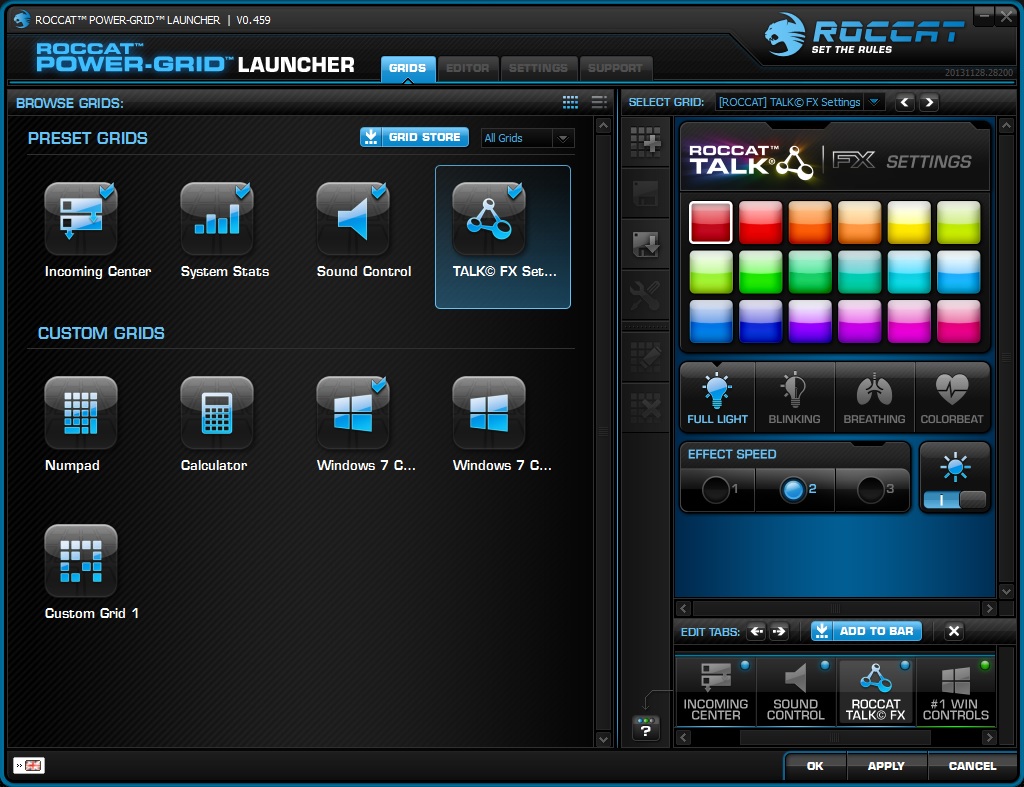
Not to forget about the lighting effect could be integrated with the ROCCAT TALK FX for extra lighting effects. More information here.

Software


Driver


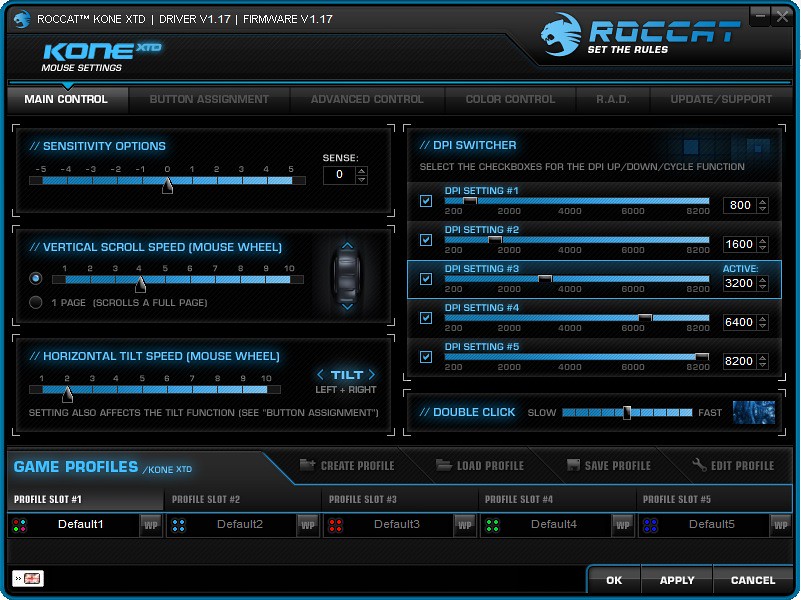
Main control for general configurations such as the sensitivity, clicks and scroll action.


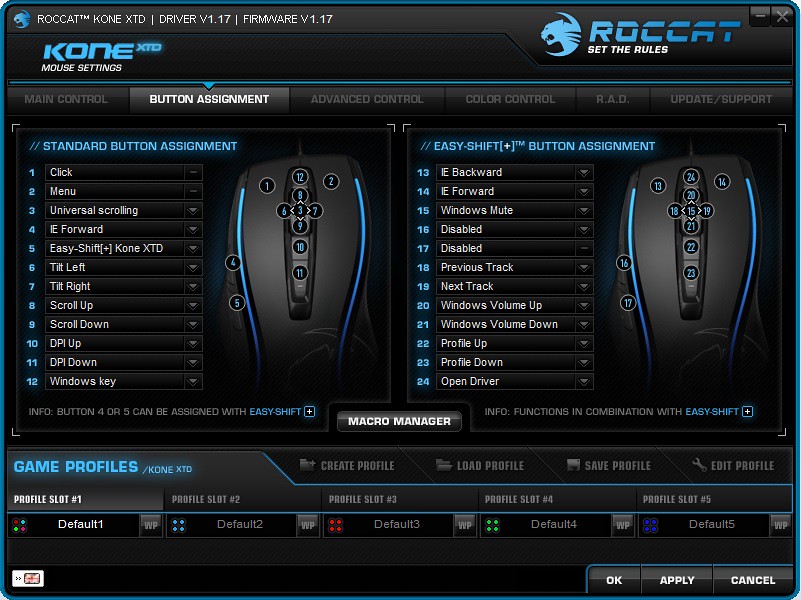
Meanwhile you can manage the macro and assign different functionalities to the mouse buttons.


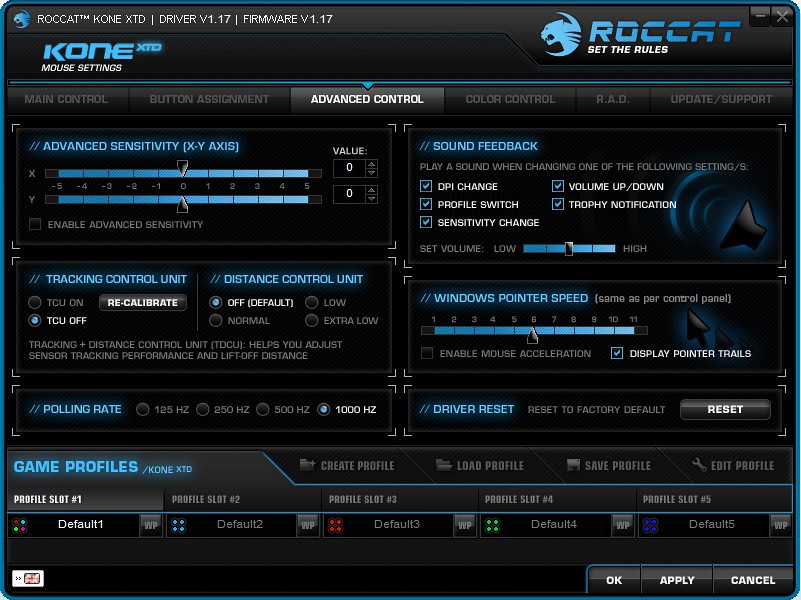
Advanced configurations for your mouse which incldes the polling rate, X-Y axis sensitivity and the sound options.


Colour control centre to customise your XTD's lighting effect.


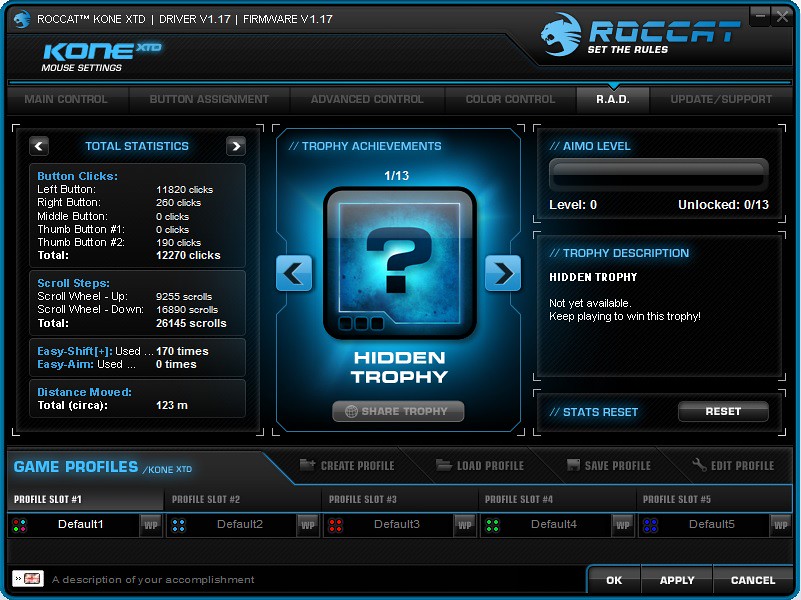
Then ROCCAT even has your mouse usage statistics and award.


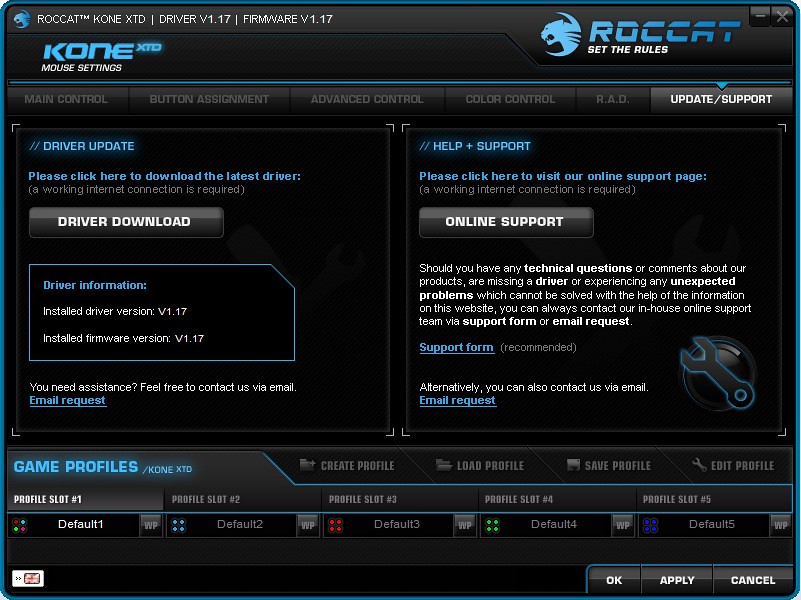
Lastly the update and support panel.

Power-Grid


Not to forget the Power-Grid Android and iOS app which utilise your mobile device as secondary display and control for you system and games.

First you have to install the Power-Grid desktop application and the mobile app.


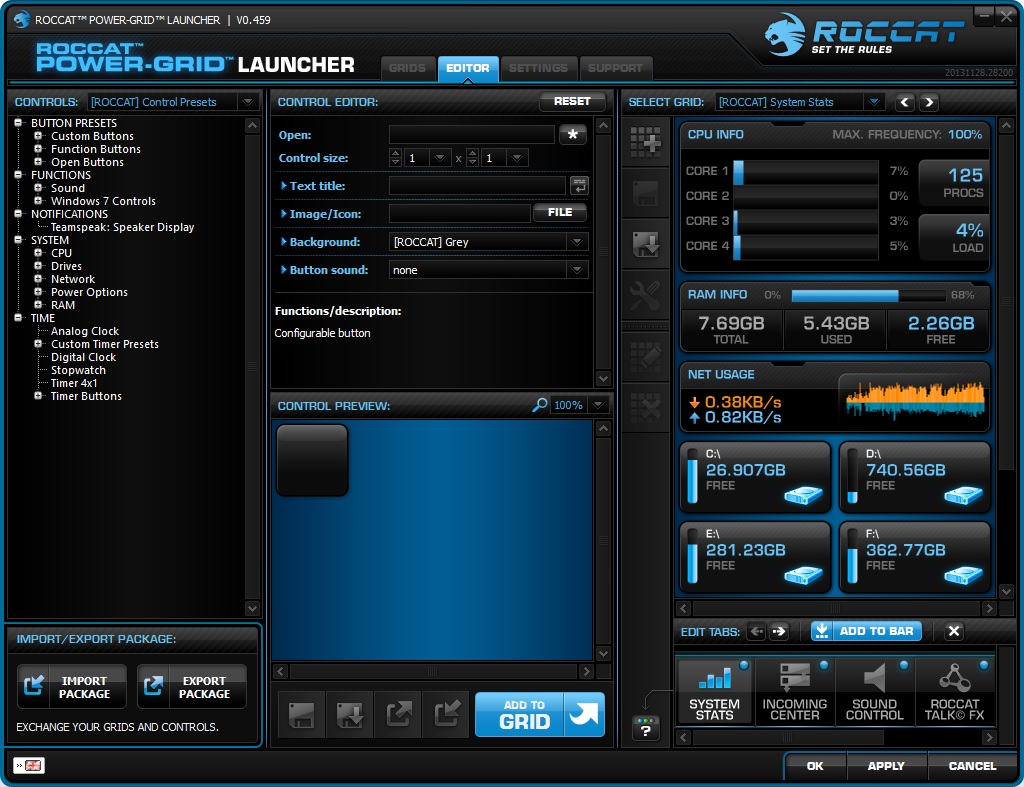
You could edit the grids as you see fit to your needs.


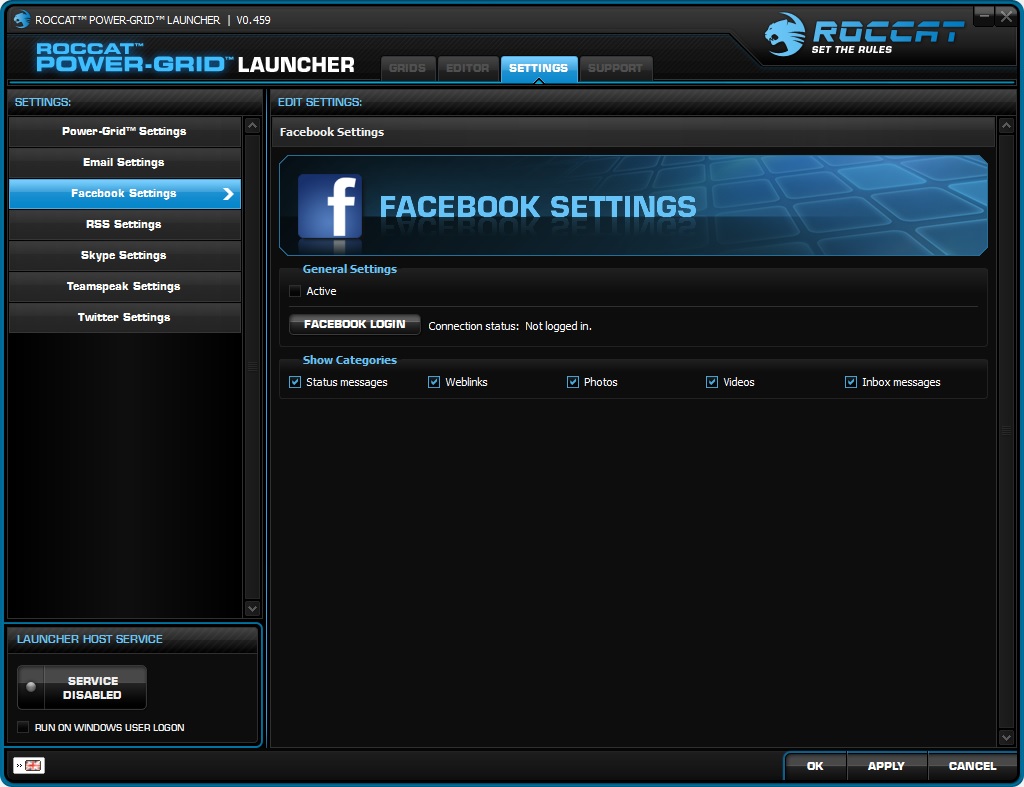
There's even social settings where the Power-Grid app displays you favourite social media contents.


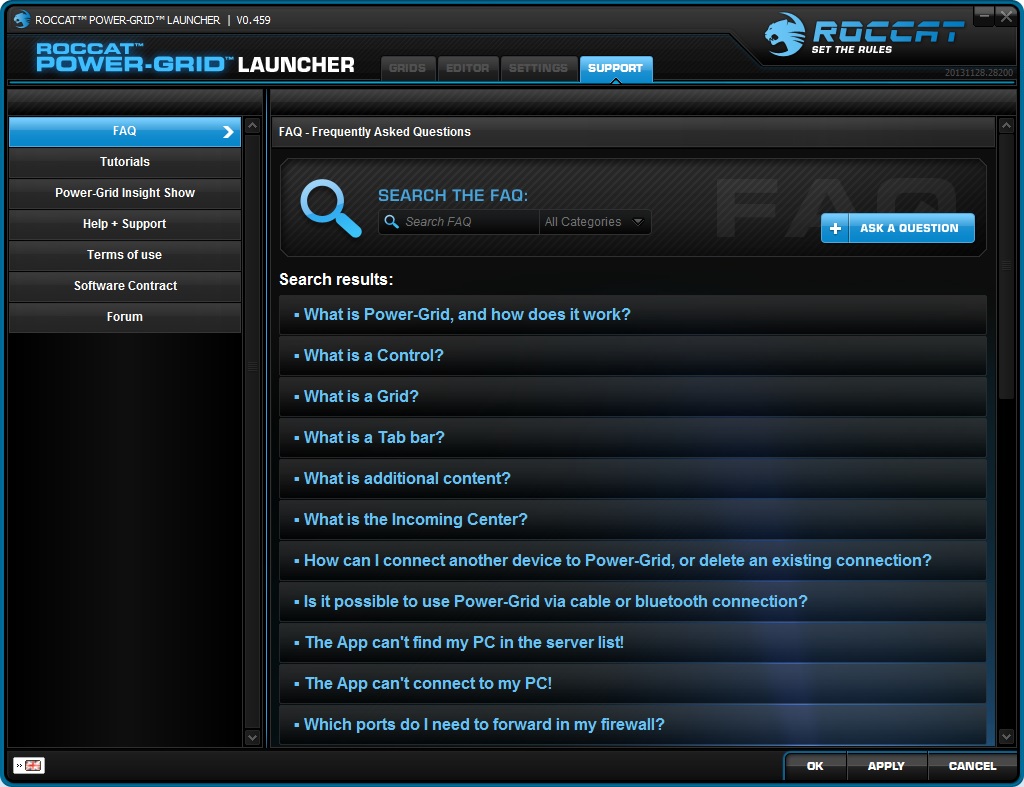
As you can see, setting up the Power-Grid is fairly easy and straight forward, but if you face any trouble there's a lot of useful information available at the support.


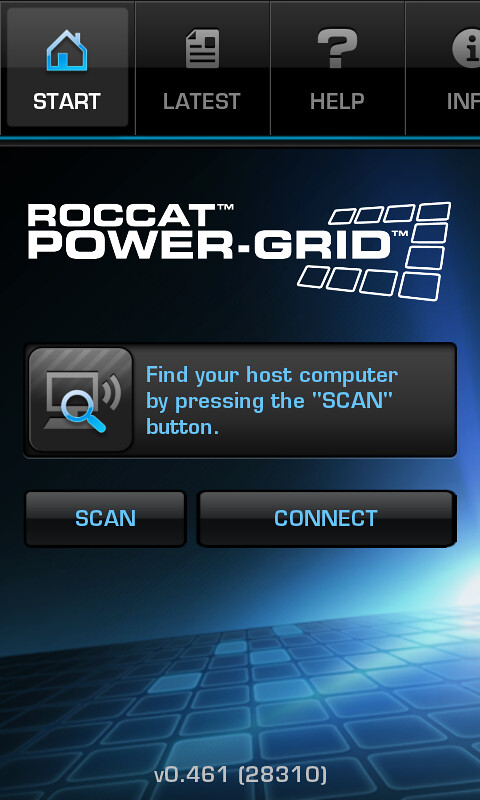
Connecting your mobile device to the desktop app is fairly easy if your network and firewall is properly set.


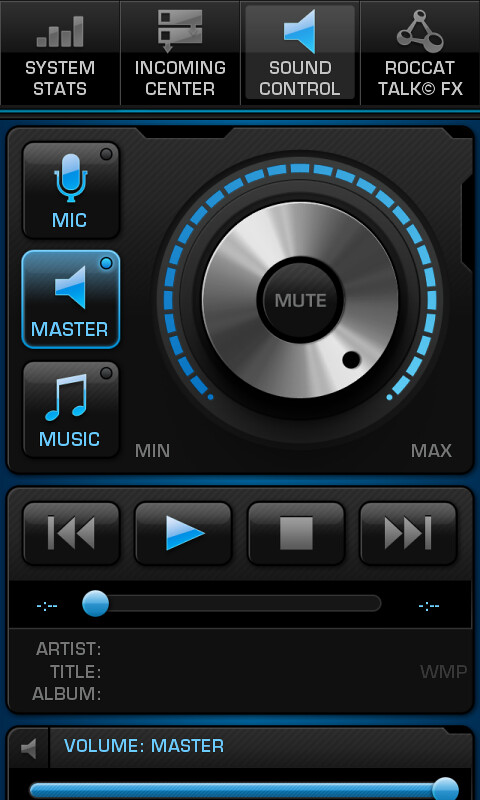
System stats.


The configured grids would be shown in your mobile.

Final Thoughts


ROCCAT Kone XTD

Pros

  • Smooth and comfortable grip
  • Great build quality
  • Responsive clicks
  • Excellent scroll wheel
  • Intuitive driver software
  • Weight management

Subjective

  • Sculpted for right handed users
  • Power-Grid - creative use of smart devices
  • ROCCAT Talk
  • LED stripes

Cons

  • Stiff USB cable
  • Lack of ergonomic customization
  • Weight management module not so user-friendly
  • Power-Grid need to cater boarder range of screen resolution
  • Too many individual driver for each product
  • No dedicated button for Easy-Shift[+]

Looking at the spec-sheet of the XTD and the Pure, you can immediately notice that both of them has exactly similar bits and pieces. They literally shares the same internals except some added features from the external. Even both of them has almost similar build quality and ergonomics when compared, albeit the size and weight of XTD is slightly larger and heavier than the Pure. But one could easily differentiate them when they hold the mouse.

Performance-wise, we were very satisfied with the Pure and we find that the XTD performs on par with it. No doubt it is a real performer mouse, the button clicks are accurate and works really well, worth mentioning is the awesome Titan Wheel.

On the side note, ROCCAT claims the XTD to be "Maximum Customisation Mouse'. To be frank, I find the extra customisation options when compared to the Pure are just the weight management, extra buttons and extra lighting effects. Let's face it, both of them shares almost identical internal except the scroll wheel and not so important lighting gimmicks.

Does the extra really worth what you're paying? It could be both yes and no, depends on how you see the extra features. It is not the XTD's fault for being overshadowed, but the fact that ROCCAT decided to make them so similar and priced the Pure at much competitive price makes the XTD an expensive upgrade.